


We’re pleased to announce the launch of M-Files Empower, a portal that brings together product documentation and knowledge resources into one streamlined experience, helping you find answers faster and work more efficiently with M-Files.
This launch is an important step in our broader digital customer experience initiative, focused on making interactions with M-Files more intuitive, accessible, and seamless across all touchpoints. By centralizing knowledge and simplifying access to information, we are enhancing the overall digital experience and enabling you to get value from M-Files more quickly and efficiently.

What is M-Files Empower?
M-Files Empower consolidates public, customer-facing content from M-Files Help Center, M-Files Product Center, M-Files Knowledge Base, M-Files User Guide, and support articles from M-Files Support Portal.
This includes:
- User guides and how-to instructions
- Product and feature documentation
- Support and troubleshooting articles
- Getting started and onboarding materials
- Release notes and downloads
- Tips, best practices, and knowledge articles
With M-Files Empower, you no longer need to navigate multiple documentation and supporting sites — everything is available through one consistent destination.
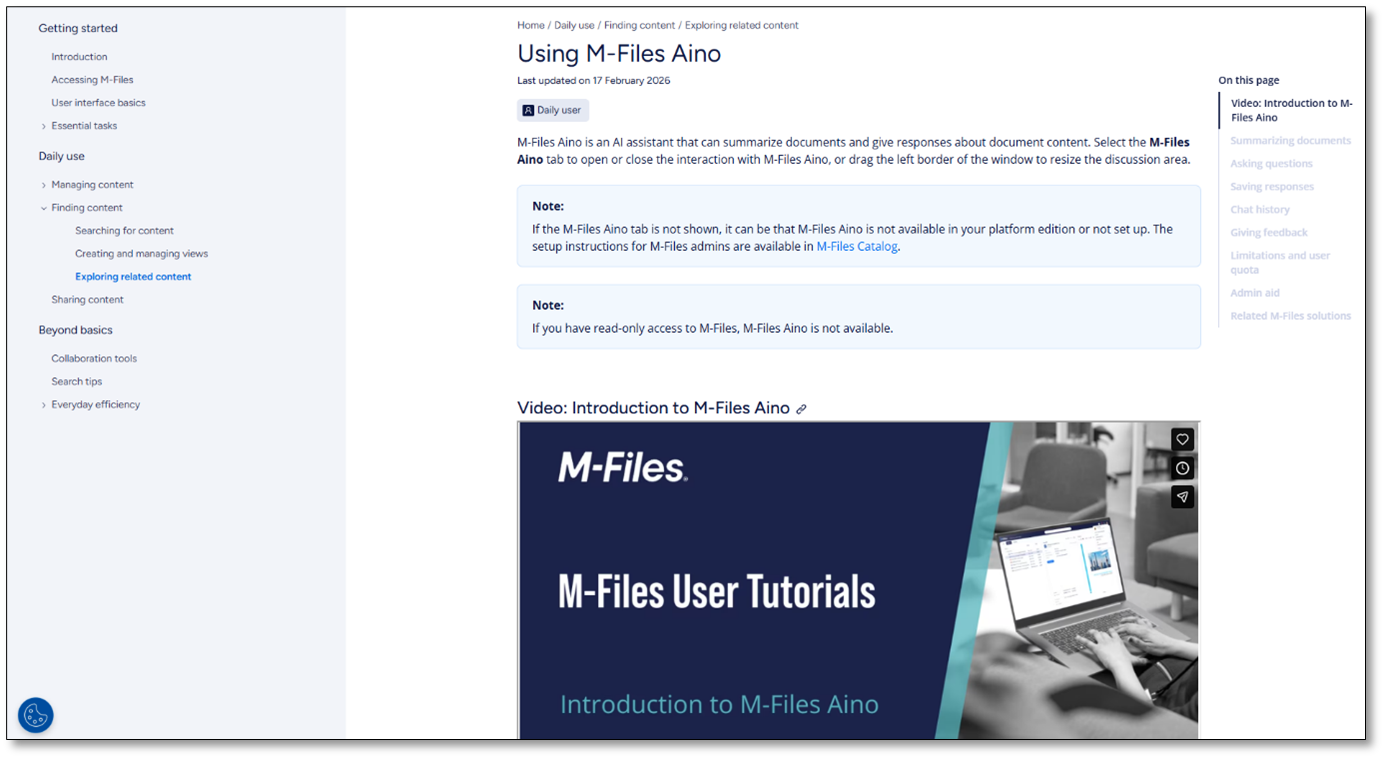
Legacy portals will remain available for reference during the transition; some enter maintenance mode with redirects added as needed.
Why M-Files Empower?
As M‑Files has evolved, content has grown across multiple platforms. This made it harder to know where to go and to locate the right information quickly.
M‑Files Empower addresses this by:
- Providing one place for knowledge and support content.
- Improving findability with universal search.
- Offering clear structure and navigation across content types.
- Making information easier to browse, search, and consume.
The result is a simpler, more efficient way to support your daily work with M‑Files.
How can you use M-Files Empower?
With M-Files Empower, you can:
- Quickly search across all documentation and support articles.
- Browse content by topic, role, or task.
- Find up‑to‑date guidance optimized for the new M-Files Desktop and M-Files Web.
Content is designed to support end users, power users, and administrators alike.
Access and availability
- Access: Public and free to use — no login required. Additional services that require login may be introduced later.
- Languages: English.
- Devices: Works in any modern web browser, including mobile.
- M‑Files versions: No minimum version requirement.

What does M-Files Empower not replace?
M-Files Empower does not replace the following services:
- Support tickets: Continue to create and manage your support requests in the M-Files Support Portal. We are working to bring the support experience closer to M-Files Empower in future releases.
- M-Files Community: Get the latest news and event updates, explore products and services, join discussions and customer advocacy programs, and contact our team.
- M-Files Academy: Join training and product courses in M-Files Academy.
- M-Files Catalog and M-Files Developer Portal
What’s next?
M-Files Empower will continue to evolve after launch. Ongoing improvements will focus on:
- Enhancing search and navigation, including the introduction of AI-powered search to help you find answers more quickly and accurately.
- Making it easier to submit a support ticket when you can’t find the information you need
- Exploring new capabilities and adding more content to further support learning and adoption.
Feedback
Your feedback plays an important role in shaping the platform. You can share feedback directly within M‑Files Empower by clicking the Give feedback button in the header. Your input helps us refine content, improve usability, and prioritize future enhancements.
We encourage you to explore M‑Files Empower and start using it as your main source for M-Files documentation.


