
The new M-Files Desktop helps you work faster with a modern, intuitive user experience. Designed to simplify everyday tasks while maintaining enterprise-grade security and flexibility, the new desktop makes it easier to navigate, find, manage, and collaborate on information — all within a familiar M-Files environment.
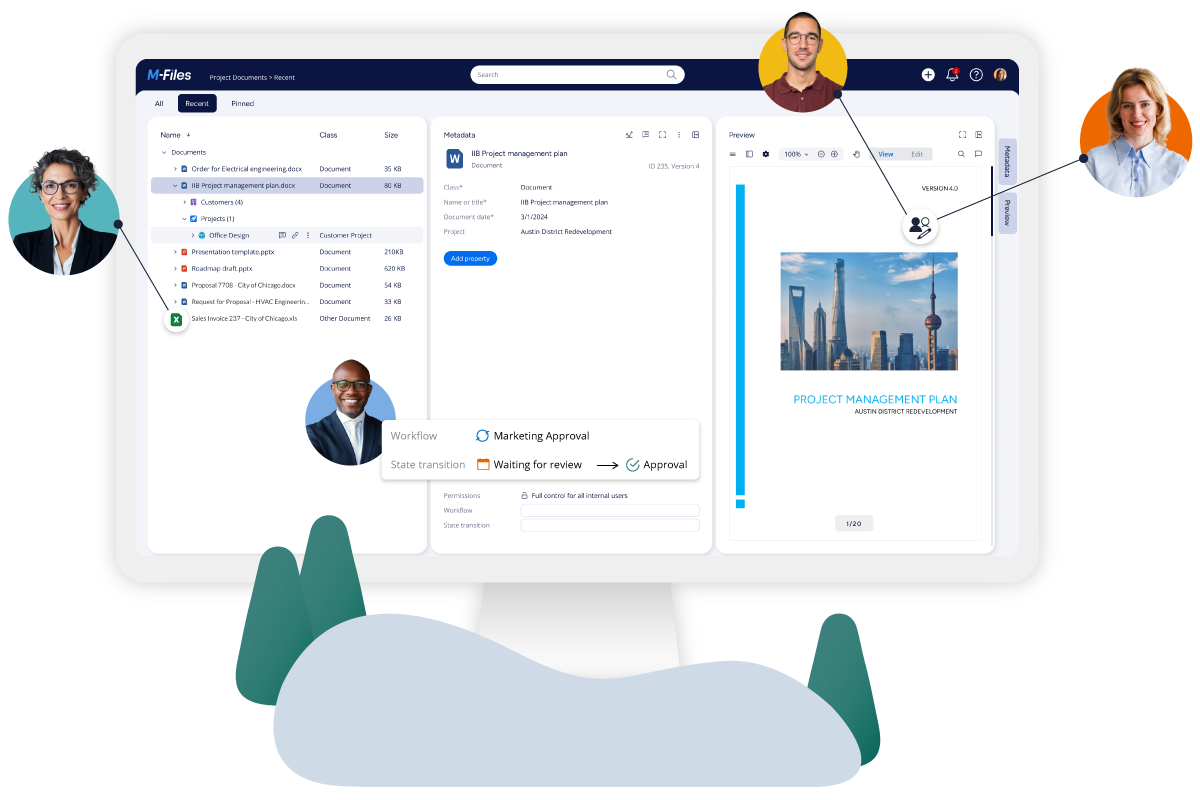

We’re thrilled to introduce you to M-Files Workspaces, the brand-new, context-first user experience now available in the new M-Files Desktop and Web! With Workspaces, all work is automatically available in the right business context, making it easier than ever to transform the way you and your team work with documents and information. Explore Workspaces on the new M-Files Desktop or Web.

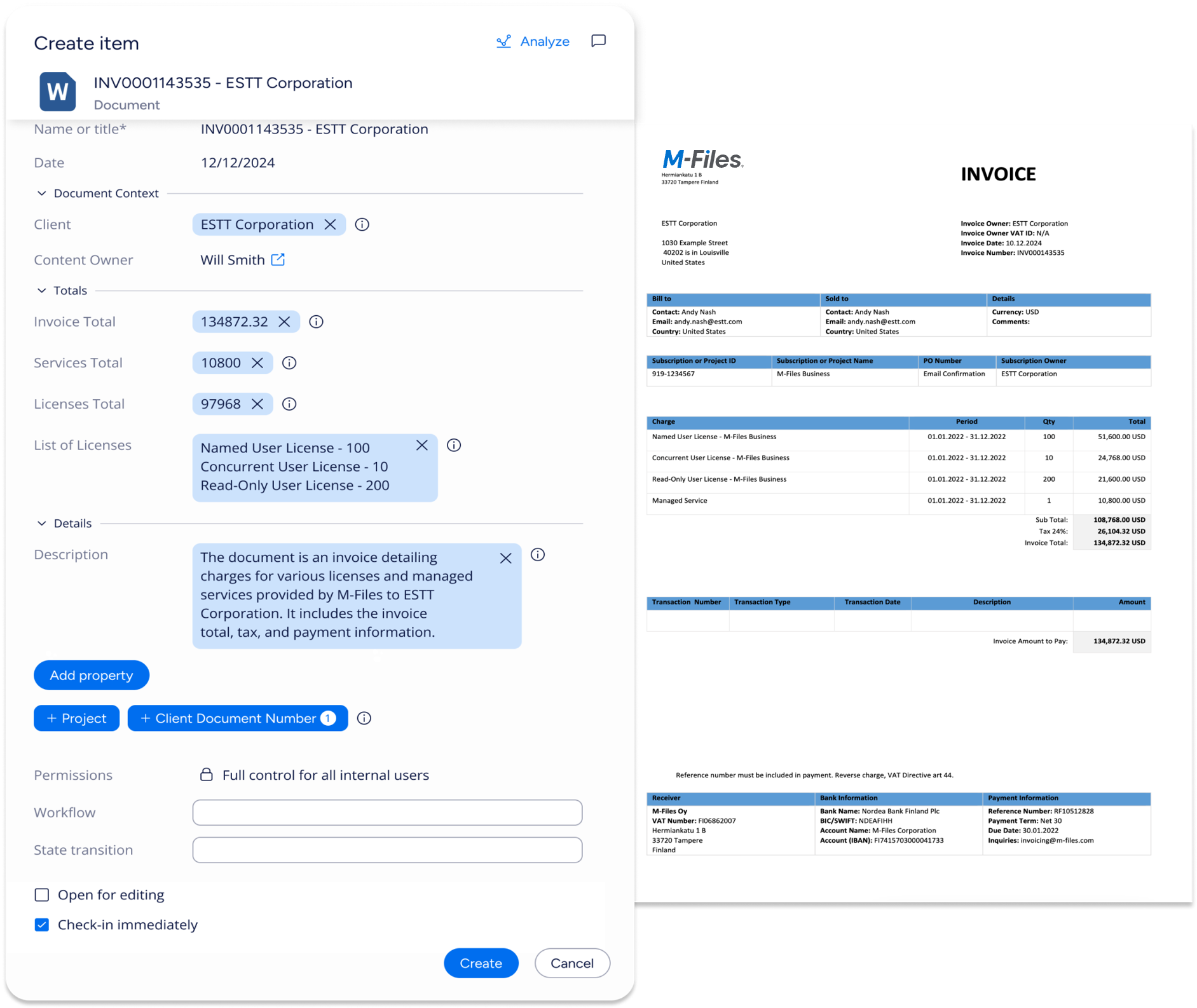
We’re excited to introduce Aino Metadata Agent at Scale—a context-first AI capability that runs in the background to find the right documents and automatically apply metadata at scale. It delivers governed automation with transparency and control through configuration and optional human review.
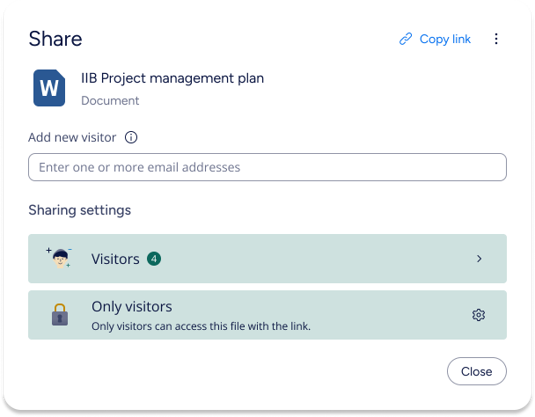
M-Files Sharing Center, a modern, centralized sharing experience that makes collaborating with people outside your organization simple and secure. It ensures that external sharing of M-Files content is clear, controlled, and easy to track — helping you work faster, share with confidence, and minimize risk.

Modern work thrives on collaboration. With native co-authoring, you can edit documents simultaneously in Microsoft 365 while M-Files organizes information, guides business processes, and automates security and compliance. Native co-authoring brings you the best-in-class authoring experience, enhancing your satisfaction, engagement, and adoption.
The new Task Bar sits above the listing area, giving you quick access to your most-used actions. Replacing the old task pane on the left, it also allows you to create shortcuts to important views and workspaces for faster navigation.
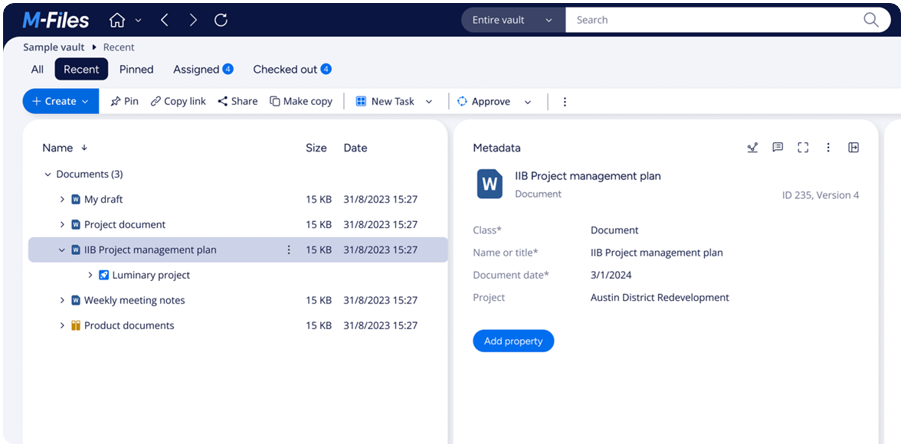
The new M-Files Desktop is not just a technical refresh. It delivers practical improvements that make it easier to perform common functions like advanced searches, easier navigation, and managing versions.
You can also choose whether to use the Desktop or Web client without losing key functionality, giving you the flexibility to work in the environment you prefer.
If you are using a Mac, you will also now have a full featured client you can run in a browser.
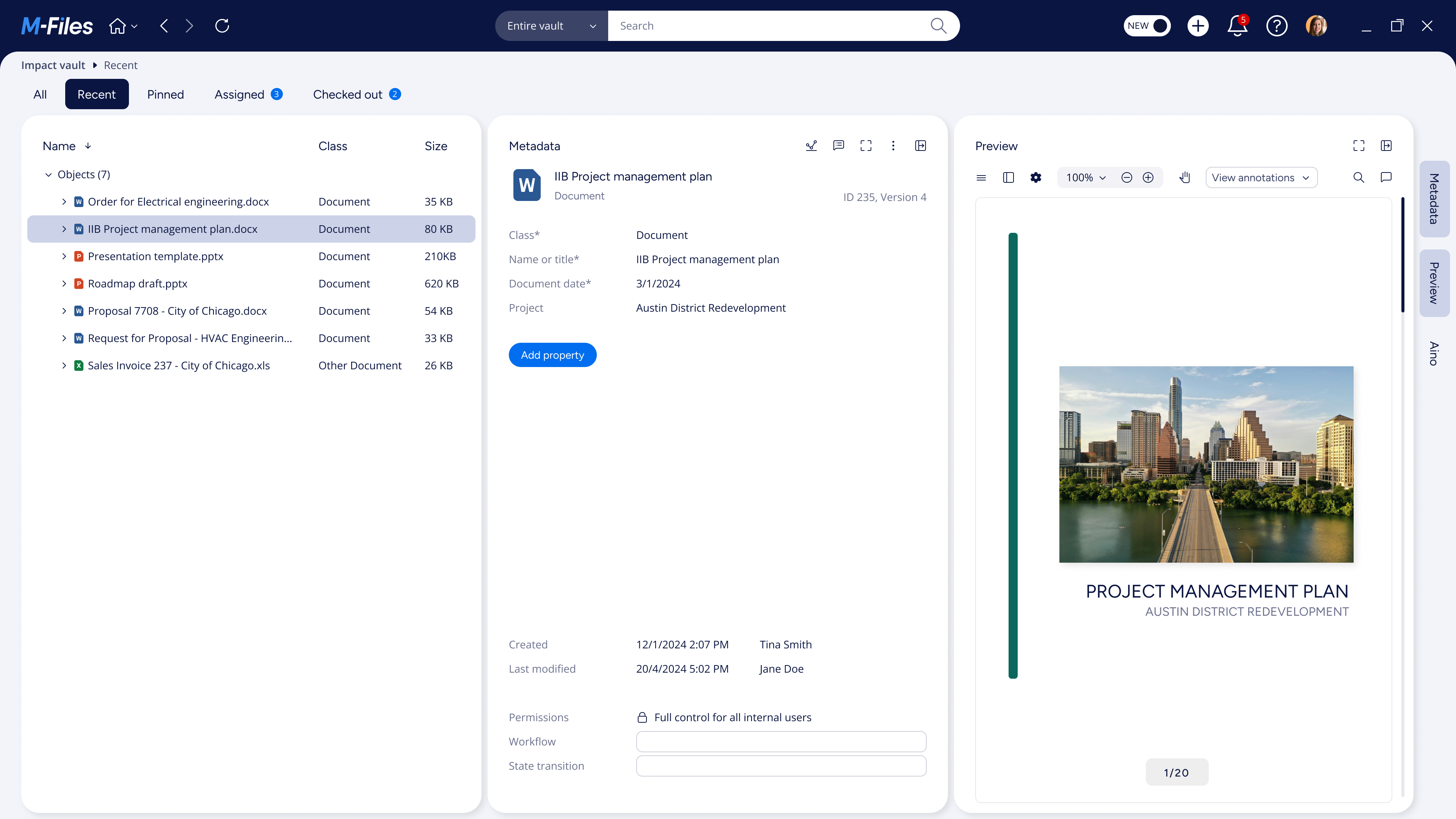

M-Files now provides a consistent experience across web and desktop platforms, making it easier for users to navigate and quickly adapt to different environments.

With a single codebase, features are developed once and deployed universally, allowing you to enjoy the latest innovations faster, no matter what platform you use.

Developers can create UI extensions that work seamlessly on both the Desktop and Web clients, reducing development efforts, and improving overall user satisfaction.
Enablement Document for Customers - New M-Files Desktop.pdf
This document explains reasons such as What, Why, Who, When behind this exciting release
Feature comparison between classic and new M-Files Desktop
Get a detailed view of the availability of specific features in the classic and the new M-Files Desktop. Watch a video of the most visible changes there are between the old Desktop and the new Desktop.
Check out M-Files Desktop Webinars
On this page, you can find both live and on-demand webinars that help you dive deeper into the new M-Files Desktop.
Read M-Files Desktop News
Stay up to date with the latest updates, improvements, and announcements related to the new M-Files Desktop.
How to Transition to the New M-Files Desktop
Learn how to transition to the new M-Files Desktop with clear guidance on updates, compatibility, and required steps.


© 2025 M-Files, All Rights Reserved.