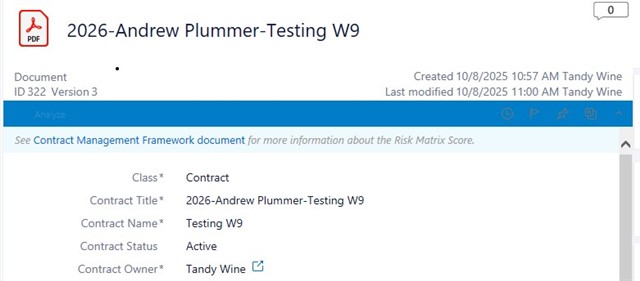
We use the classic M-files desktop client. Somehow I have gotten the colors changed on the toolbar on the metadata card so that it's unreadable. This is the bar above the properties where you can select options like Analyze, Show History, Follow this document etc. Can anyone suggest where these colors are controlled?
I'll include a screenshot where you can see this bright blue bar is unreadable.