replace %MFILESURL% by %NAMEWITHLINKHTML% for new outlook

Hi,

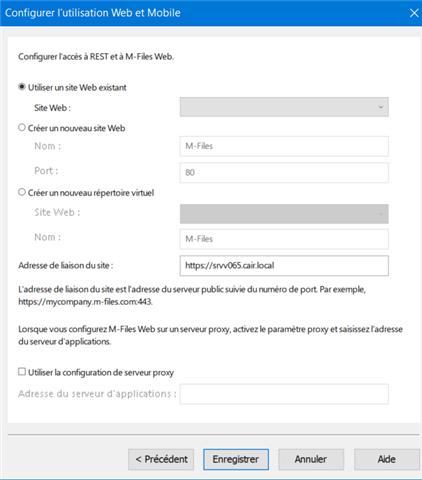
For the new outlook, we lust change %MFILESURL% by %NAMEWITHLINKHTML% and activate the https with yhe new web.

When I replace the placeholder %MFILESURL% by %NAMEWITHLINKHTML% the url is https://[server]:7767/vNext/link/6B31CC31-CFEB-4068-ACC0-FBC8B23315B6/show?object=0D3C4A6C-4730-4A0E-A8EF-C10A137D90BA&objid=0-5420. I don't know why port 7767 keeps appearing; if I remove it, the URL works correctly.

What do I need to fix to get the same URL without port 7767 ?

BR

Parents Reply
  • Many thanks, I didn't know that URL configuration was handled by Vault.

    Concerning the placeholder %MFILESURL%, it isn't replaced by a https url, it remains mfiles:// and the customer is in version 25.2, so higher than 24.6.

    The placeholder %NAMEWITHLINKHTML% is replace by

    <a href=3D"">srvv065.XXXX.local/.../show test artifacts</a>

    I want only the url without the href and name or title string, wich placeholder shoukd I use ?

Children