Memory leak MFServer.exe

We are facing a memory leak with the Server since Saturnday morning. The problem started 9AM in the morning and every ~10 minutes the server crashes, making the application unusable.

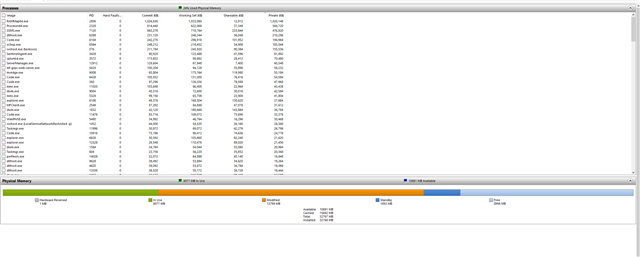
The program is not releasing Memory back to the operating system, causing incremental RAM lock.

Upon starting of the MFServer.exe the program grows to 10 GB of RAM usage (looking at the Task Manager) and then the MFServer.exe crashes, leaving the whole RAM unusable and making the M-Files unusable as well.

We didn't make any changes to the system over this period.

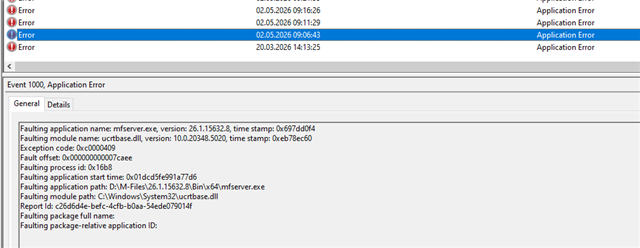
Logs from Evenet Viewer showing that the ucrtbase.dll crashes.

Anybody faced such problem?

Faulting application name: mfserver.exe, version: 26.4.15933.5, time stamp: 0x69e8ae19
Faulting module name: ucrtbase.dll, version: 10.0.20348.5020, time stamp: 0xeb78ec60
Exception code: 0xc0000409
Fault offset: 0x000000000007caee
Faulting process id: 0x13e4
Faulting application start time: 0x01dcdb98d5f048e6
Faulting application path: D:\M-Files\26.4.15933.5\Bin\x64\mfserver.exe
Faulting module path: C:\Windows\System32\ucrtbase.dll
Report Id: fbe462e3-b3e6-4a1f-8f09-d792f34877f1
Faulting package full name: 
  • Because this involves repeated server crashes and memory exhaustion, it's not something that can realistically be solved via a forum thread alone. Even if "nothing changed" in M‑Files, OS updates, antivirus updates, or background integrations can still surface issues like this.

    You may want to verify your antivirus exclusions for M‑Files processes and data, as AV interference has caused similar instability before in some cases.

    Other than that, my strong recommendation is to contact your M‑Files reseller and ask them to open a support case on your behalf. Make sure to include:

    • the MFServer version,
    • the full Event Viewer error,
    • and (if possible) crash dumps

    That will allow M‑Files Support and Product teams to analyze the dumps and confirm whether this is an environment‑specific problem or something that needs a product fix or configuration change.

  • We are still waiting for their response.

    Meanwhile we got deeper and found out that something is causing the DB table OVPV to have enormous amount of data insite.On 1st of april the same table was ~23GB in size, and now it is 160+GB, so something got wrong in our DB, which caused the program to create files we cannot actually find at the moment.

    1 month ago the size of the whole Vault was 80 GB on the disk, currently - 240 GB, while the usual grow is like 10GB every 3-4 months.

    What is happening is that the MFiles Indexer starts working, in Process Monitor we can see errors that the program cannot find files in FileData and starts looping, causing the Memory to fill until the program crashes.

  • Please do work with support.

    That said: common things I have seen in the past that cause this are integrations that have gone awry.  Custom integrations or things like external object types creating vast numbers of object versions, for example.

  • We've found that everything refers to a single property - Comment history - which is auto-calculated based on a VBScript and is responsible for ~160GB data stored inside, that is creating a new version for a lot of objects every 5-7 minutes, some of them have 900+ versions. Now we are working on a way to delete all the version beside the last. Our providers are aware of our problem and are happy that we pinpointed the problem and are suggesting some VAF application might help us.

  • It sounds like something was misconfigured and has been repeatedly running some script.  Hopefully you can work with your providers to work out what this was and fix it.

    Glad you worked out out!