


How can I hide properties from being shown in the drill down in M-Files Classic Desktop:
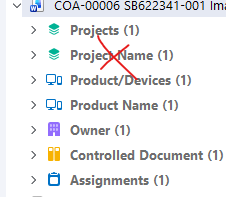
Background:
I have learnt (the hard way) it is best to create helper properties instead of using the Built In properties created with an Object. This lets me filter the property when using it elsewhere (for example, I can filter my helper property Project Name). As a result, I have two very similar properties when I drill down, which is annoying and adds undesirable clutter. Is there an easy way to hide or edit the options in a drill down of an object?


