


Hello M-Files gurus,
I'm trying to update incorrect Customer external ID:s with "obj.Vault.ObjectOperations.SetExternalID(obj.ObjID, externalID);". Some objects allow this but a decent amount of objects give an error message that the ID already exists. However there are no duplicate ID:s, existing or deleted, in customer objects. I can only find corresponding ID:s in projects and documents.
I've run scheduled optimization.
Where could these duplicates be? Shouldn't duplicate IDs in different object types be fine? How can I free the (external) IDs for use again?
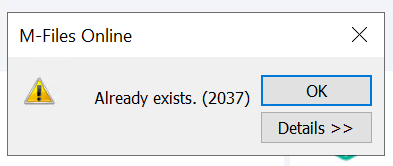
For example, Customer object with an ID of 2037 can't be seen anywhere in the vault (including deleted view) with sys admin permissions, yet M-Files Client throws this error:
<MetadataEditor>, -, Script execution failed. ((BeforeCheckInChangesFinalize::VAFDocs.MFEventHandlerBeforeCheckInChangesFinalize: 101-4252-9)) (0x800408BB)


